How to use SF2 SoundFonts in Bitwig Studio
Bitwig Studio can load SF2 files into its own Sampler, which is fine for a single instrument. For whole banks, General MIDI files and quick preset browsing, a SoundFont plugin is easier. Here are both ways, on Windows, Mac and Linux.
By Aiden Shihadeh, developer of simpleSF2 · Published · Updated
I tested these steps in Bitwig Studio 6.1.4 on Linux with simpleSF2 0.7.1 and the FluidR3 GM SoundFont. The screenshots are from that run.
Quick answer
| Can Bitwig open SF2 files? | Yes. Its browser lists every preset in an SF2 under Multisamples, and Sampler loads them. |
|---|---|
| Best for | One instrument you want to edit with Bitwig's modulators |
| Play whole banks | Load simpleSF2 and import the SF2 |
| SFZ files | Sampler imports them too. simpleSF2 plays them with their own controls. |
| Plugin format | VST3 or CLAP on Windows, Mac and Linux |
Way 1: Load the SF2 into Bitwig's Sampler
Bitwig's browser treats SF2 files as
multisamples, alongside SFZ and its own .multisample format.
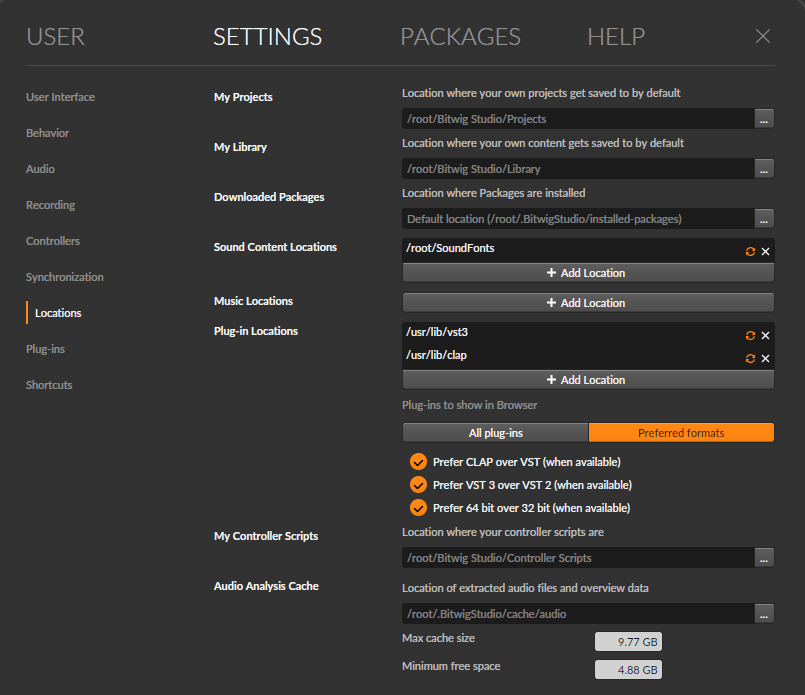
- Put your SF2 files in a folder. In Settings → Locations, click Add Location next to Sound Content Locations and pick that folder, so Bitwig indexes it.
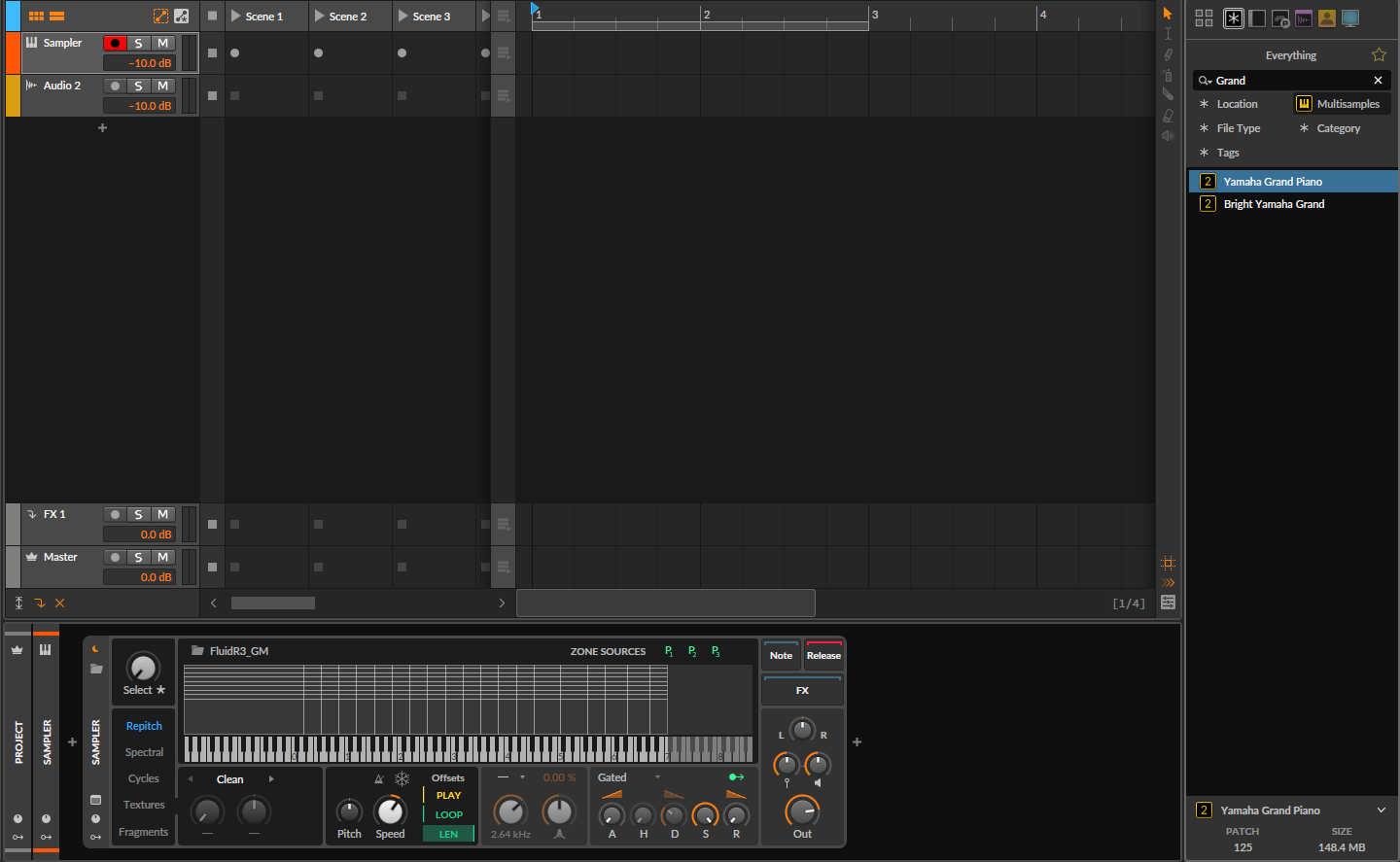
- In the browser, set File Kind to Multisamples. Bitwig lists each preset in the SF2 as its own item, not the file. With FluidR3 GM that was 189 entries, from 12 String Guitar to Yamaha Grand Piano.
- Select an instrument track and double-click a preset, or drag it onto the track. Bitwig puts a Sampler on the track with that preset's samples mapped to their keys.
Things to know:
- It's an import. The sound now lives in Sampler, so you can edit it with Bitwig's modulators, but the SoundFont's own envelopes, filter and effects may not come across exactly.
- One preset per Sampler. Browsing a General MIDI bank is easy, since every preset is listed, but each one you load is a separate Sampler, and Sampler won't follow a MIDI file's program changes.
simpleSF2 plays SF2 and SFZ files in Bitwig on Windows, macOS and Linux. Download free
Unlock multiple libraries, 16-channel multitimbral mode, and reverb and chorus for £9.99. One-time purchase.
Unlock 16 channels + reverb — £9.99Way 2: Play the SF2 directly with simpleSF2
simpleSF2 is a SoundFont player plugin. It runs in Bitwig as a VST3 or CLAP plugin on Windows, Mac and Linux, and loads SF2 and SFZ files as they are, with every bank and preset in one list.
- Download simpleSF2 and run the installer for your system.
- Bitwig scans the standard plugin folders when it starts. If simpleSF2 doesn't show up, check Settings → Locations → Plug-in Locations.
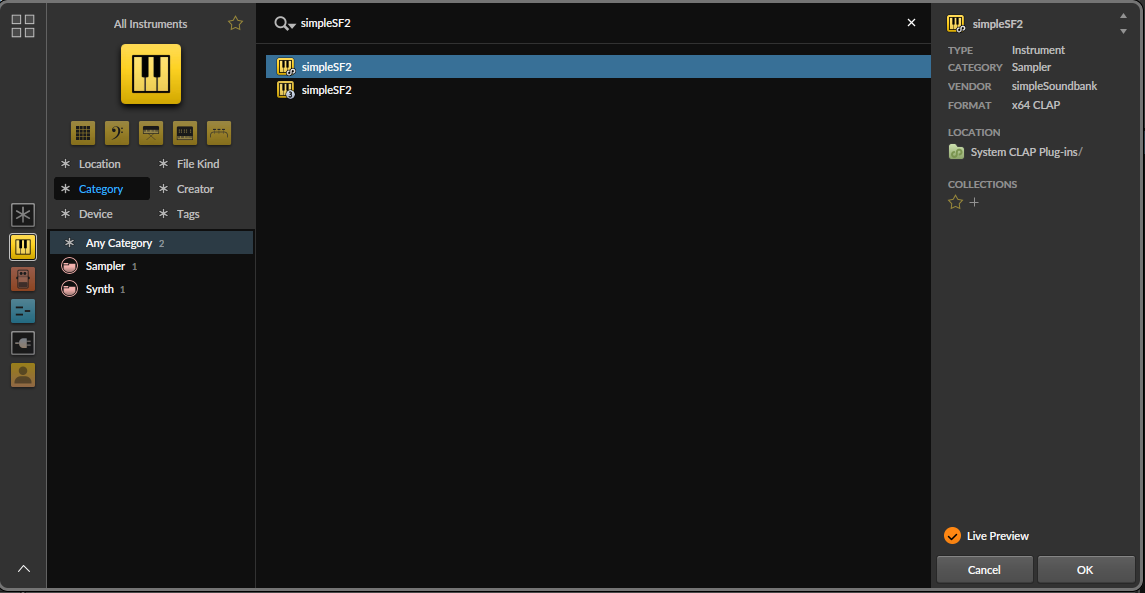
- Click the + under your tracks to add an instrument track. Bitwig opens its instrument picker. Type simpleSF2 and press OK. My test showed two entries, the CLAP and the VST3, even with Prefer CLAP over VST ticked. Select one and the panel on the right shows its format. Both versions sound the same.
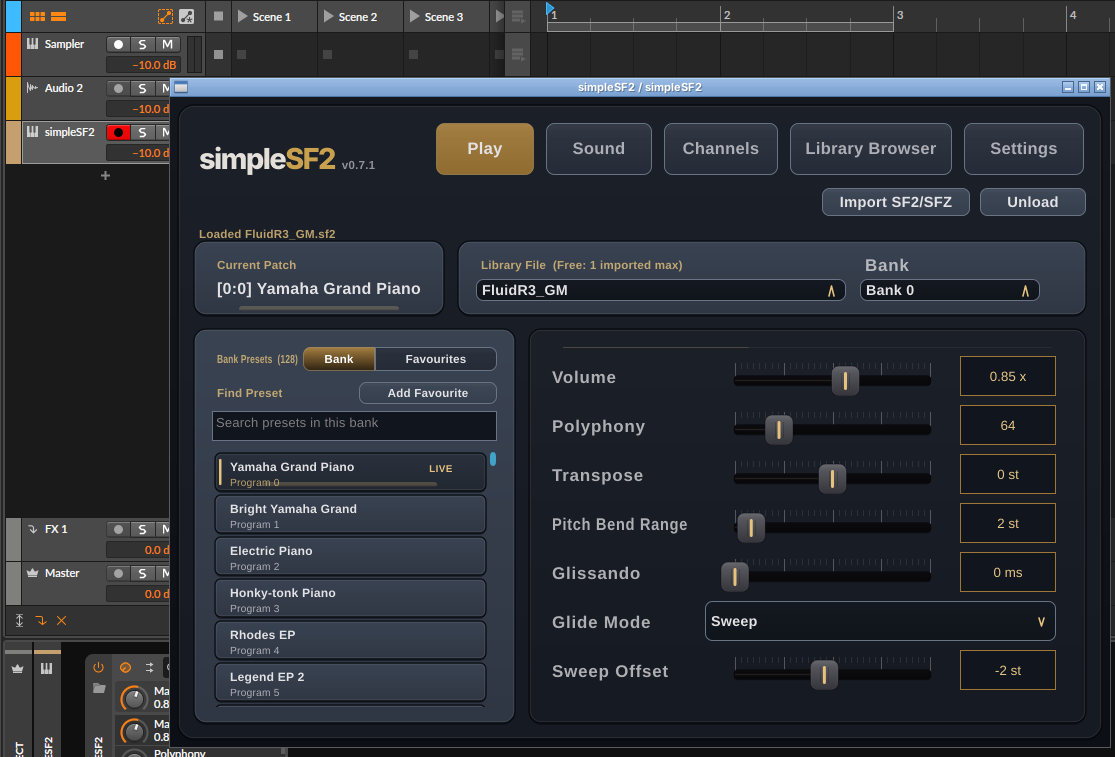
- The plugin window opens. Click Import SF2/SFZ and pick your file, or drag the file onto the plugin.
- Pick a bank and preset and play. Bitwig saves the library, preset and settings with the project.
For a General MIDI file, the free version needs one simpleSF2 per part, each set to that part's instrument. The £9.99 unlock adds a 16-channel mode, where one simpleSF2 plays every channel on its own instrument, with drums on channel 10.
SFZ instruments
Bitwig's Sampler imports SFZ files the same way as SF2, and for a simple instrument that works well. Larger SFZ libraries often add their own controls on top of the samples, such as layer switches, articulations and tuning, and an import into Sampler may drop those.
simpleSF2 plays the .sfz file as it is. Load it with Import
SF2/SFZ. The SFZ file is a text map of where each sample goes, so leave its
samples folder where it was. When the instrument has its own controls, a
Controls button appears next to Add Favourite and shows them as knobs,
which Bitwig saves with the project.

On Linux
Bitwig is one of the few big DAWs with a native Linux version, and simpleSF2 has a Linux
installer too. Install the .deb and the VST3 lands in
/usr/lib/vst3 and the CLAP in /usr/lib/clap (or
~/.vst3 and ~/.clap if you install by hand). In my test Bitwig
already had /usr/lib/vst3 and /usr/lib/clap in its Plug-in
Locations and found both versions on first start.
Common questions
Does Bitwig support SoundFonts?
Yes, as multi-samples in its Sampler. For playing a whole bank as it is, use a SoundFont plugin.
Can Bitwig play a MIDI file with a SoundFont?
Yes. Import the MIDI file, then route its tracks to a SoundFont plugin. See how to play a MIDI file with a SoundFont.