How to use SF2 SoundFonts in Reaper
Reaper doesn't play SF2 files on its own. Its sampler, ReaSamplOmatic5000, loads audio files one sample at a time and can't read a SoundFont. A SoundFont plugin fills the gap, and it works the same way in Reaper on Windows, macOS and Linux.
By Aiden Shihadeh, developer of simpleSF2 · Updated 7 October 2026
Quick answer
| Can Reaper open SF2 files? | Not with its built-in plugins. ReaSamplOmatic5000 plays single audio files, not SoundFonts. |
|---|---|
| Easiest way to play one | Insert simpleSF2 as a virtual instrument on a track. |
| Windows | VST3 |
| macOS | VST3 or Audio Unit |
| Linux | VST3, from the .deb installer or the VST3-only zip |
Load a SoundFont in Reaper with simpleSF2
simpleSF2 is a SoundFont player plugin for SF2 and SFZ files. It runs in Reaper as a VST3 instrument on all three systems, and as an Audio Unit on Mac. The free version plays one imported library per instance.
- Download simpleSF2 and run the installer for your system. Reaper picks up new plugins in the standard folders when it starts.
- Open Reaper and choose Track → Insert virtual instrument on new track.
- Type
simpleSF2in the FX browser's search box and pick VST3i: simpleSF2 (simpleSoundbank). On a Mac, the AUi version works too. - Click Import SF2/SFZ in the plugin and pick your file, or drag the file onto the plugin window.
- Pick a bank and a preset, arm the track and play. Reaper saves the library, preset and settings with your project.
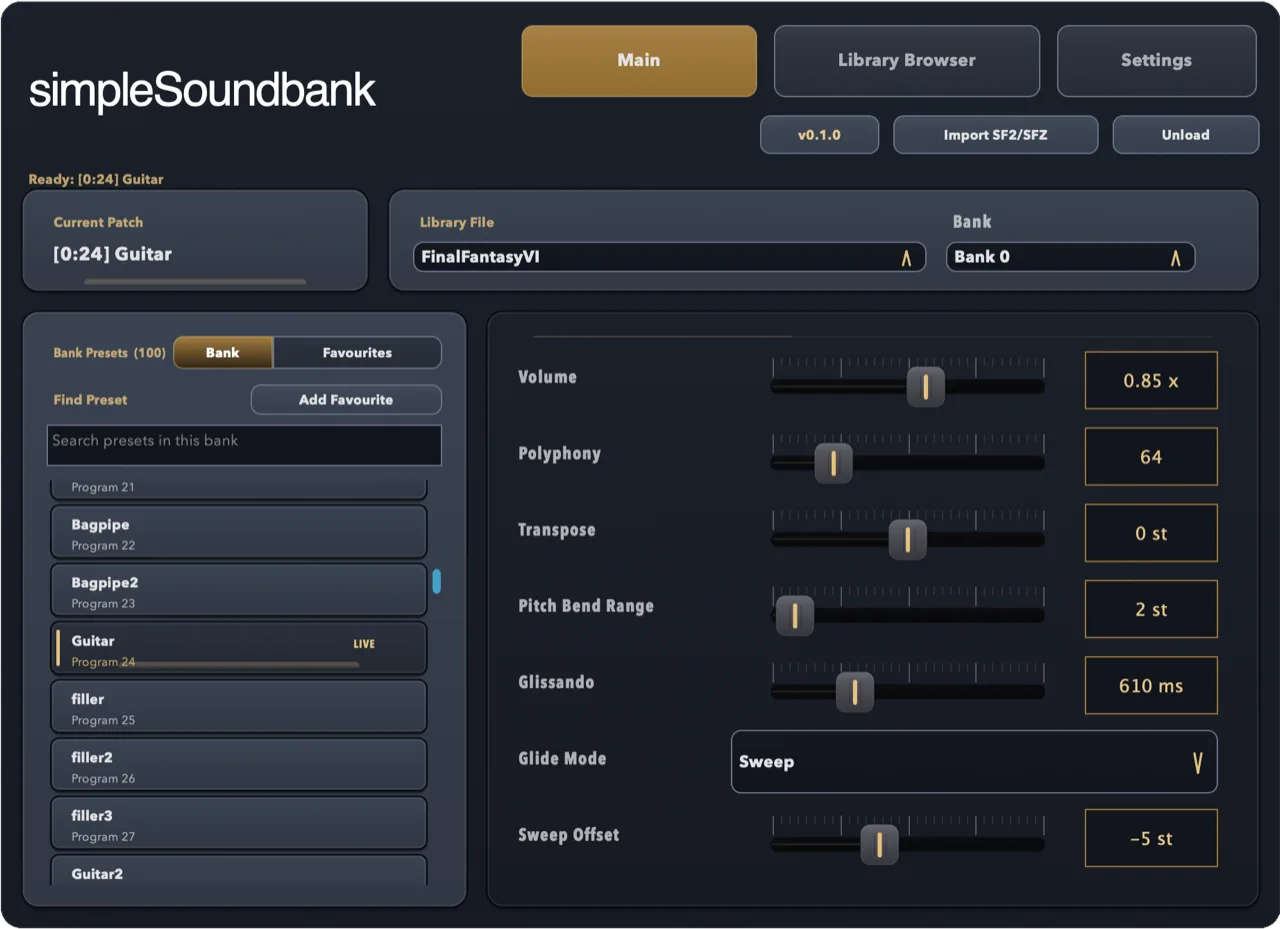
To reuse a setup, right-click the track and save it as a track template. Each template keeps the plugin with its SoundFont and preset loaded.
On Linux
Reaper's Linux build runs simpleSF2's Linux VST3.
- The
.debinstaller puts the plugin in/usr/lib/vst3. - The VST3-only zip is for other distributions: unzip it into
~/.vst3. - If Reaper doesn't list it, add that folder under Options → Preferences → Plug-ins → VST and click Re-scan.
If the plugin doesn't show up in Reaper
- Open Options → Preferences → Plug-ins → VST (Settings
on a Mac) and make sure the VST3 folder is in the plugin paths:
C:\Program
                                    Files\Common Files\VST3
on Windows, or/Library/Audio/Plug-Ins/VST3on a Mac. - Click Re-scan, or use its menu to clear the cache and re-scan every plugin.
- Cockos's REAPER User Guide covers plugin paths and re-scanning in detail.
- Still stuck? Email support@simplesoundbank.com.
Common questions
Can Reaper open SF2 files?
Not with its built-in plugins. ReaSamplOmatic5000 plays single audio files, so you need a SoundFont plugin to play SF2 banks.
Does it work with Reaper on Linux?
Yes. simpleSF2 has a native Linux VST3, with a .deb installer and a plain zip
for other distributions.
Is there a free SoundFont player for Reaper?
Yes. simpleSF2 is free to download and use with one library per instance. A one-time £9.99 unlock lets you import and switch between multiple libraries.