How to use SF2 SoundFonts in Cubase
Cubase's bundled instruments, such as HALion Sonic, play Steinberg's own sound libraries and can't load SoundFont files. A VST3 SoundFont plugin fills the gap, and it works the same way in every edition of Cubase on Windows and Mac.
By Aiden Shihadeh, developer of simpleSF2 · Updated 13 October 2026
Quick answer
| Can Cubase open SF2 files? | Not with its bundled instruments. HALion Sonic can't load SoundFonts. |
|---|---|
| Easiest way to play one | Add simpleSF2 as an instrument track. |
| Plugin format | VST3 on Windows and Mac. Cubase doesn't load Audio Units. |
| Cubase editions | Pro, Artist, Elements and AI/LE all load third-party VST3 instruments. |
| Steinberg's own option | The full HALion sampler, sold separately, can import SoundFonts. |
Load a SoundFont in Cubase with simpleSF2
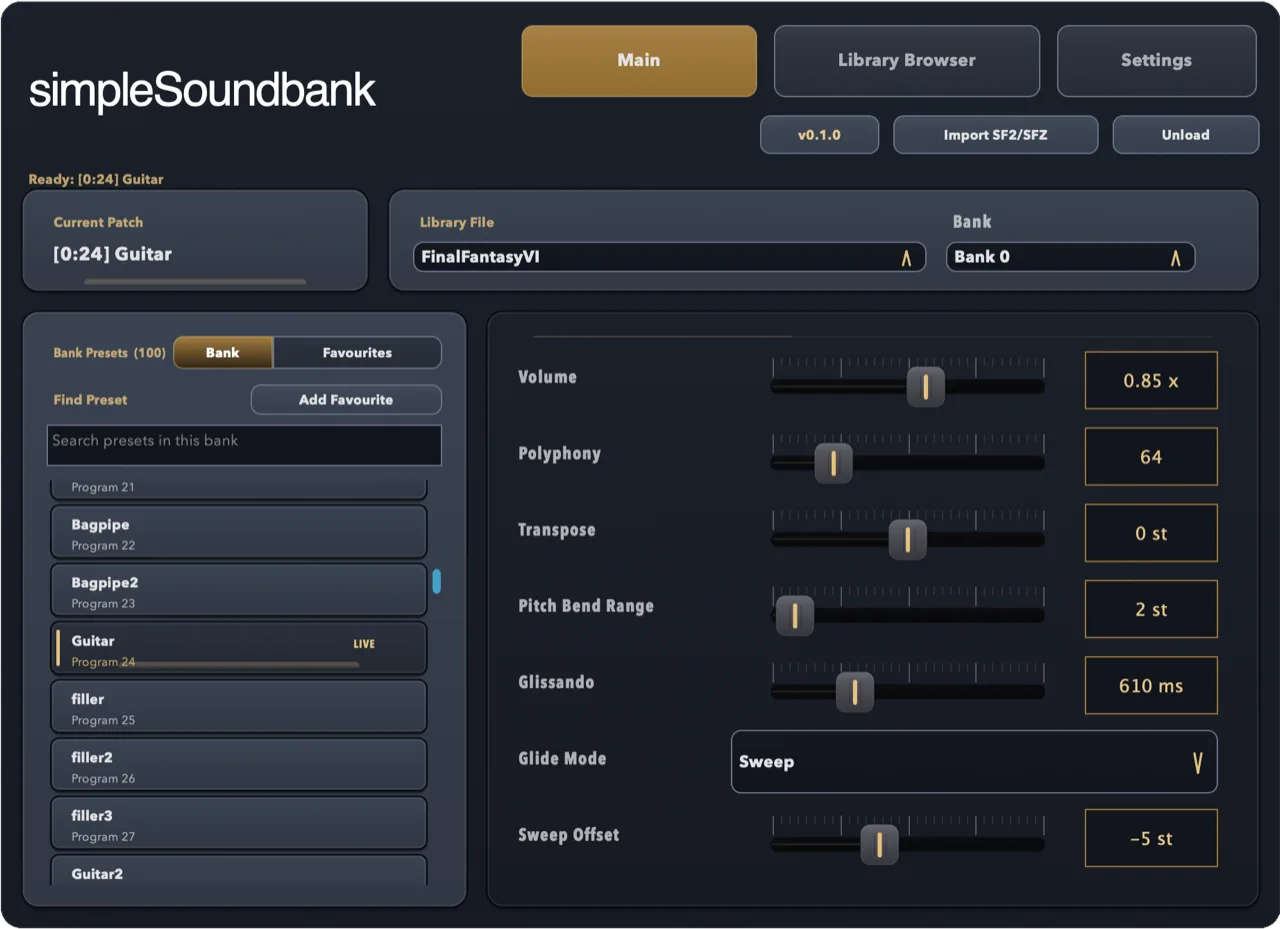
simpleSF2 is a SoundFont player plugin for SF2 and SFZ files. It runs in Cubase as a VST3 instrument on Windows and macOS, and plays the file as it is, with every bank and preset in one list.
- Download simpleSF2 and run the installer for your system. It puts the VST3 in the standard folder that Cubase scans.
- Open Cubase and choose Project → Add Track → Instrument.
- In the Instrument menu, pick simpleSF2. Type its name in the search box to find it quickly, then click Add Track.
- Open the plugin window and click Import SF2/SFZ, or drag the file onto the plugin.
- Pick a bank and a preset, record-enable the track and play. Cubase saves the library, preset and settings with your project.
Play a multi-channel MIDI file through one SoundFont
General MIDI files put each part on its own MIDI channel, with drums on channel 10. To hear them through one SoundFont bank, use simpleSF2's Channels tab, which comes with the one-time unlock.
- Open Studio → VST Instruments and add simpleSF2 there as a rack instrument, so several MIDI tracks can share it.
- Drag your
.midfile into the project. Cubase creates one MIDI track per part. - Set each track's output to simpleSF2 and keep its original MIDI channel.
- In simpleSF2's Channels tab, give each channel its own preset, volume and pan. Channel 10 uses the bank's drum kits.
If simpleSF2 doesn't show up in Cubase
- Open Studio → VST Plug-in Manager (Devices → VST Plug-in Manager in older versions) and check that simpleSF2 is listed. If it's on the Blocklist, select it and reactivate it.
- Make sure the VST3 is in the standard folder:
C:\Program Files\Common
                                    Files\VST3
on Windows, or/Library/Audio/Plug-Ins/VST3on a Mac. Cubase scans these at startup. - Restart Cubase after installing so it rescans plugins.
- Steinberg's Cubase documentation covers the plugin manager in detail.
- Still stuck? Email support@simplesoundbank.com.
Common questions
Can Cubase open SF2 files?
Not with its bundled instruments. HALion Sonic plays Steinberg's own libraries, so you need a SoundFont plugin such as simpleSF2, or Steinberg's full HALion sampler, which is sold separately.
Does it work in Cubase Elements or Cubase AI?
Yes. Every edition of Cubase loads third-party VST3 instruments, so simpleSF2 works in Pro, Artist, Elements and AI/LE.
Can Cubase load Audio Units on a Mac?
No. Cubase uses VST3 on both Windows and Mac. The simpleSF2 macOS installer includes the VST3 alongside the Audio Unit.
Is there a free SoundFont player for Cubase?
simpleSF2 is free to download and use with one library per instance. A one-time £9.99 unlock adds multiple libraries, 16-channel multitimbral mode, and reverb and chorus.