What is an SF2 file?
An SF2 file is a SoundFont: a single file that holds recorded instrument samples together with the settings that turn them into playable instruments. One SF2 can hold a single piano or a whole bank of 128 General MIDI sounds. Here's what's inside one, how it compares with SFZ, and how to play it in your DAW.
By Aiden Shihadeh, developer of simpleSF2 · Updated 7 October 2026
Quick answer
| What it is | A SoundFont 2 file: instrument samples plus the settings that make them playable |
|---|---|
| File extension | .sf2 |
| What one holds | Anything from a single instrument to a General MIDI bank of 128 presets plus drum kits |
| What plays it | A SoundFont player plugin, a sampler that imports SF2, or a synth like FluidSynth |
| SF2 vs SFZ | SF2 is one binary file. SFZ is a text file that points to separate samples. |
| Can my DAW open it? | Most DAWs can't put one straight on a track. See the DAW guides below. |
SF2 in short
- Format: SoundFont 2, a sample-based instrument format. The file
extension is
.sf2. - What it holds: audio samples, plus key ranges, loop points, envelopes, filters and other settings, all packed into one file.
- Where it came from: E-mu Systems and Creative Labs created SoundFonts for Sound Blaster AWE sound cards in the 1990s. Version 2 became the version everyone uses, and the specification is open.
- What plays it: a SoundFont player such as simpleSF2, a sampler that can import SF2, or a software synth like FluidSynth.
What's inside an SF2 file
A SoundFont is organised in three layers, which is why one file can hold so much:
- Samples. The raw recordings, such as a piano note recorded every few keys, with loop points so a note can sustain.
- Instruments. Each instrument maps samples across the keyboard and velocity range, and sets how they sound: volume envelope, tuning, filter and effects.
- Presets. A preset is what you actually pick and play. It combines one or more instruments and has a bank and program number, so a General MIDI bank can put 128 presets in bank 0 and drum kits in bank 128.
Because the settings live in the file, an SF2 sounds the same in any player that follows the specification. You load the file, choose a preset and play.
What SF2 files are used for
- General MIDI banks. A full set of 128 instruments plus drums, so any MIDI file plays back with sensible sounds.
- Game and retro music. SoundFonts are a common way to recreate the sound of older consoles and sound cards, and many game soundtrack fans share them.
- Single instruments. A sampled piano, guitar, orchestral section or drum kit, packed into one easy file.
- Notation and MIDI playback. Programs such as MuseScore use SoundFonts for their built-in sounds.
SF2 vs SFZ (and other formats)
- SF2 is a single binary file with samples and settings inside. It's easy to share and load, but you need an editor to change it.
- SFZ is a plain text file that points to separate sample files (usually WAV or FLAC). It's easy to edit in any text editor and has no size limits in practice, but an instrument is a folder of files rather than one file.
- SF3 is a compressed variant of SF2 that stores samples as Ogg Vorbis to make files smaller. Not every SF2 player opens it.
- DLS is a similar downloadable-sounds format from the MIDI Manufacturers Association, used by some operating systems and games.
simpleSF2 plays both SF2 and SFZ files directly, so you don't have to convert between them.
How to open an SF2 file
Most DAWs can't put an SF2 file straight onto a track. You have two options:
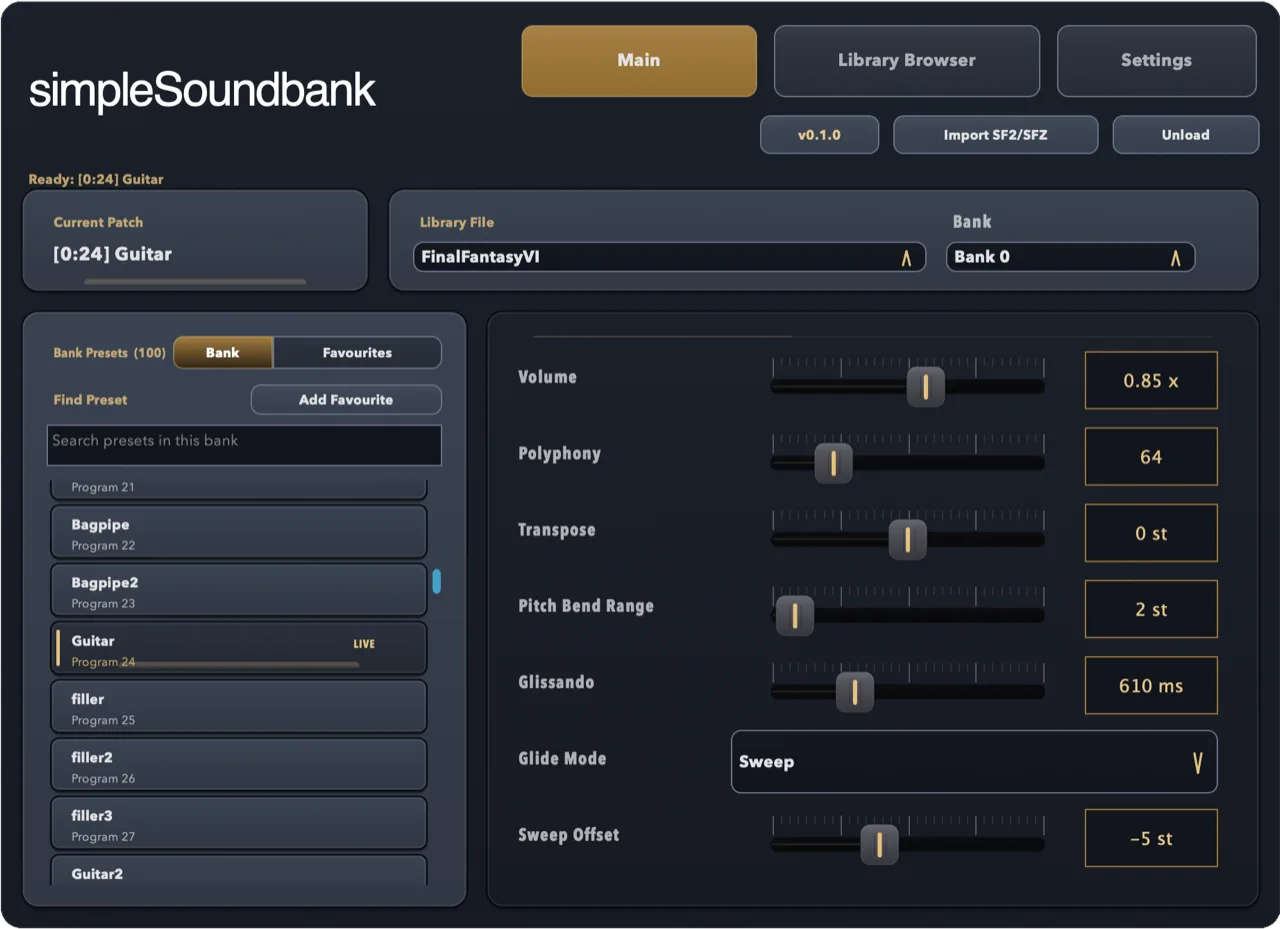
- Use a SoundFont player plugin. It plays the SF2 as it is, with every bank and preset browsable in one place. simpleSF2 does this as an AU and VST3 plugin on Mac, Windows and Linux, and it's free to start.
- Import it into your DAW's sampler. Some DAWs convert SF2 files into their own sampler format. That works for a single instrument, but whole banks get split up or lose settings.
Step-by-step guides for each DAW:
Where to find SF2 files
There are thousands of free and paid SoundFonts online, from complete General MIDI banks to single sampled instruments. Before you use one in a release, check its licence: many free SoundFonts allow use in your music, but some are for personal use only or were made from samples their authors didn't own.
simpleSF2 comes with a library of starter sounds, so you can play something before you've found your own. See the credits for where they come from.
Common questions
Is an SF2 file the same as a SoundFont?
Yes. "SoundFont" is the format's name and .sf2 is the file extension for
SoundFont 2, the version in use today. People use the two terms interchangeably.
Can I play an SF2 file on its own, without a DAW?
An SF2 holds sounds, not a song, so you need something to play notes with it: a MIDI keyboard in a DAW, a MIDI file, or a standalone SoundFont player.
Can I convert an SF2 to WAV or SFZ?
Yes. A free SoundFont editor such as Polyphone can export an SF2 to SFZ or extract its samples as WAV files. You don't need to convert anything to play it in simpleSF2.
Is there a free SF2 player plugin?
Yes. simpleSF2 is free to download and use with one library per instance. A one-time £9.99 unlock lets you import and switch between multiple libraries.