How to use SF2 SoundFonts in Ableton Live
Ableton Live 11 and 12 can't import SF2 files into Sampler. To play a SoundFont directly, load a SoundFont plugin on a MIDI track. This guide covers VST3 on Windows and Mac, AU on Mac, and a manual workaround using Live's own instruments.
By Aiden Shihadeh, developer of simpleSF2 · Updated 7 October 2026
Quick answer
| Can Live open SF2 files? | No. Sampler in Live 11 and 12 can't import them. Live 10 and earlier could. |
|---|---|
| Easiest way to play one | Load a SoundFont plugin such as simpleSF2 on a MIDI track. |
| Plugin format on Mac | VST3 or Audio Unit |
| Plugin format on Windows | VST3 |
| SFZ files | Live doesn't load them. simpleSF2 does. |
| Without a plugin | Extract the samples with a SoundFont editor and map them in Sampler by hand. |
SF2 support in Live 11, Live 12 and older versions
An SF2 file contains samples plus the key ranges, loops and envelopes that turn them into playable presets. A SoundFont plugin reads the bank directly, so you can browse its instruments without extracting the samples.
Live 11 and 12: Sampler no longer imports SoundFont files. Live 10 and earlier: Sampler supported SoundFont import. Older tutorials showing an SF2 dragged into Sampler describe that earlier workflow. Ableton documents the change in its supported sample formats guide.
Step 1: Install simpleSF2 and turn on plugins in Live
simpleSF2 is a SoundFont player plugin for SF2 and SFZ files. It runs in Live as a VST3 instrument on Windows and Mac, or as an Audio Unit on Mac.
- Download simpleSF2 and run the installer. It puts the plugin in the standard system folders.
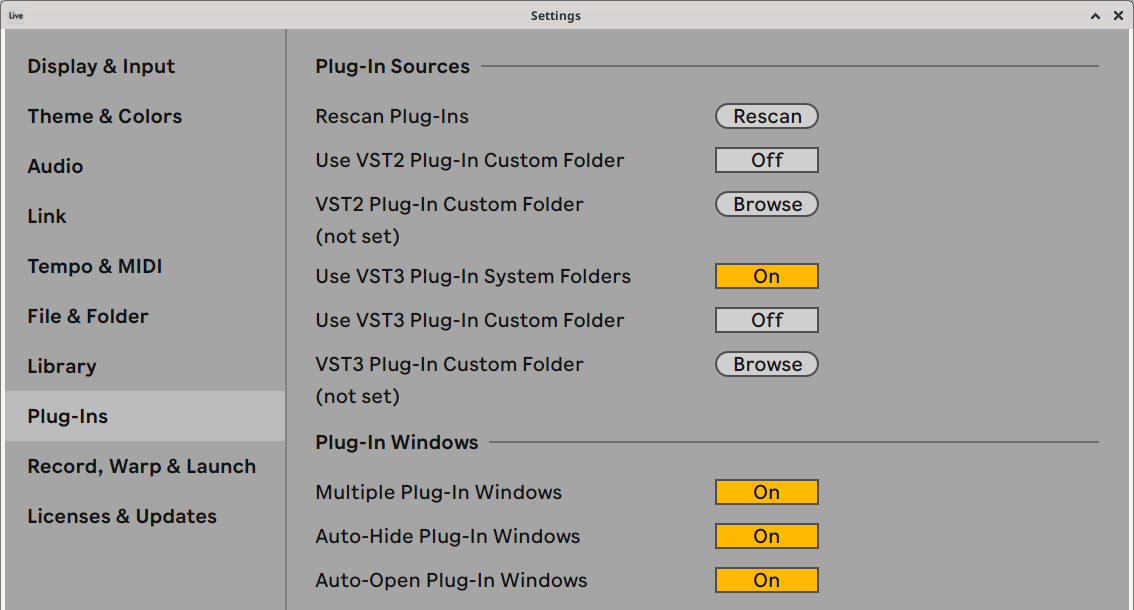
- Open Live's settings: Live → Settings on a Mac, or Options → Settings on Windows. Go to the Plug-Ins tab. In older versions, this window is called Preferences.
- Turn on Use VST3 Plug-In System Folders. On a Mac, enable Use Audio Units if you want to use the AU version.
- Click Rescan if simpleSF2 doesn't appear straight away.
Click a screenshot to view it at full resolution.
Step 2: Load a SoundFont on a MIDI track
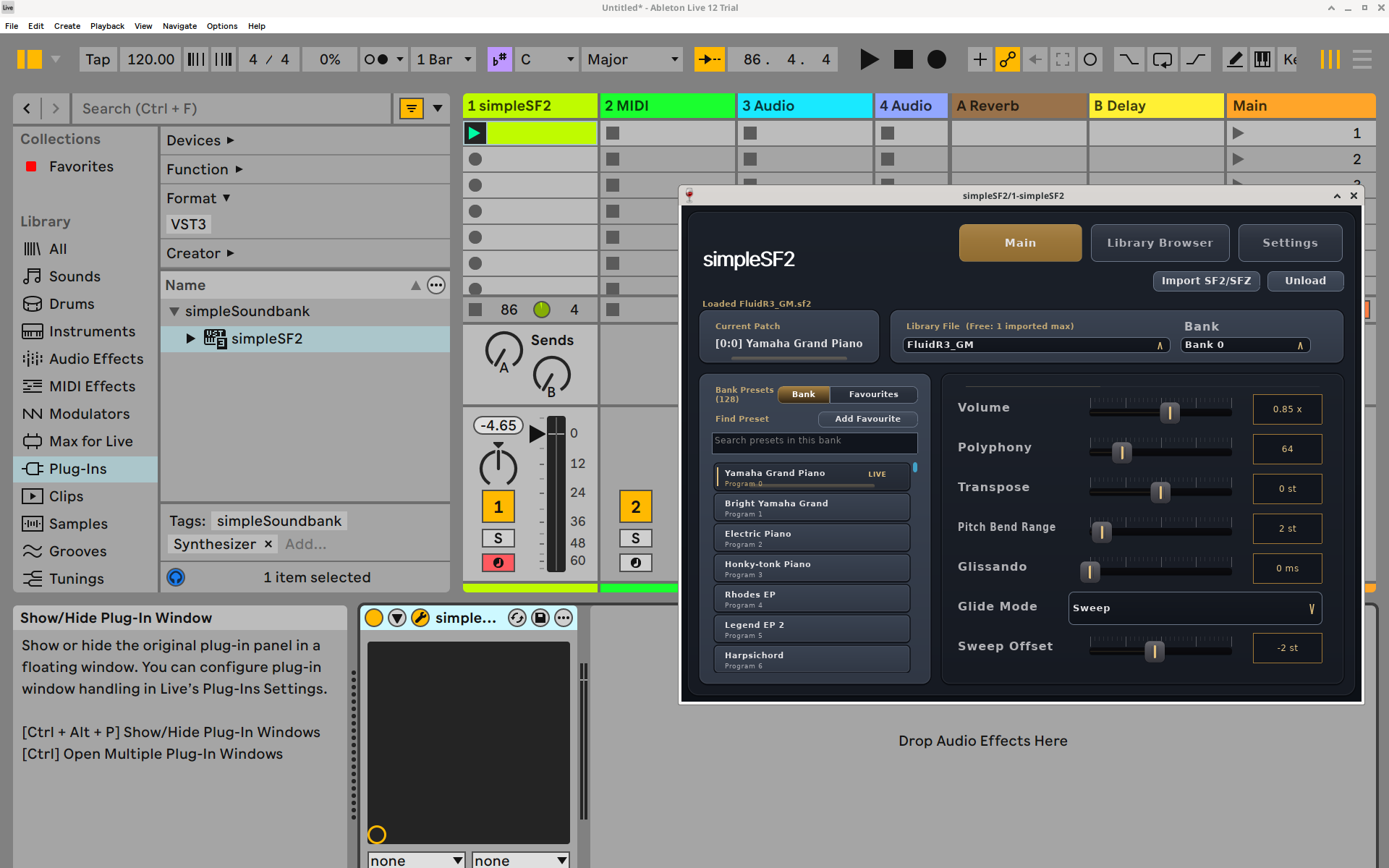
- In Live's browser, click Plug-Ins and search for simpleSF2. Depending on the browser view, it may appear under the simpleSoundbank manufacturer. Choose VST3, or AU on Mac.
- Drag simpleSF2 onto a MIDI track, or double-click it to add it to the selected track.
- Click the wrench icon in the device's title bar if the plugin window isn't open.
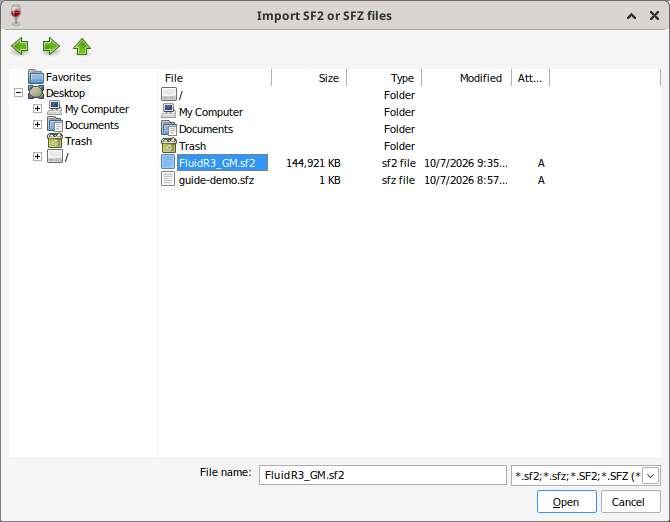
- Click Import SF2/SFZ in the plugin and pick your file, or drag the file onto the plugin window.
- Pick a bank and a preset, then play. Live saves the library, preset and settings with your Set.
Save the track's device as a preset (or the whole track as part of a template) to get your favourite SoundFont back in one click.
Step 3: Play the instrument with MIDI notes
- Double-click an empty clip slot on the simpleSF2 track to create a MIDI clip.
- Double-click in the piano roll to add notes. Drag a note's right edge to change its length.
- Click the clip's triangular launch button. The track and main output meters should move as the notes play.
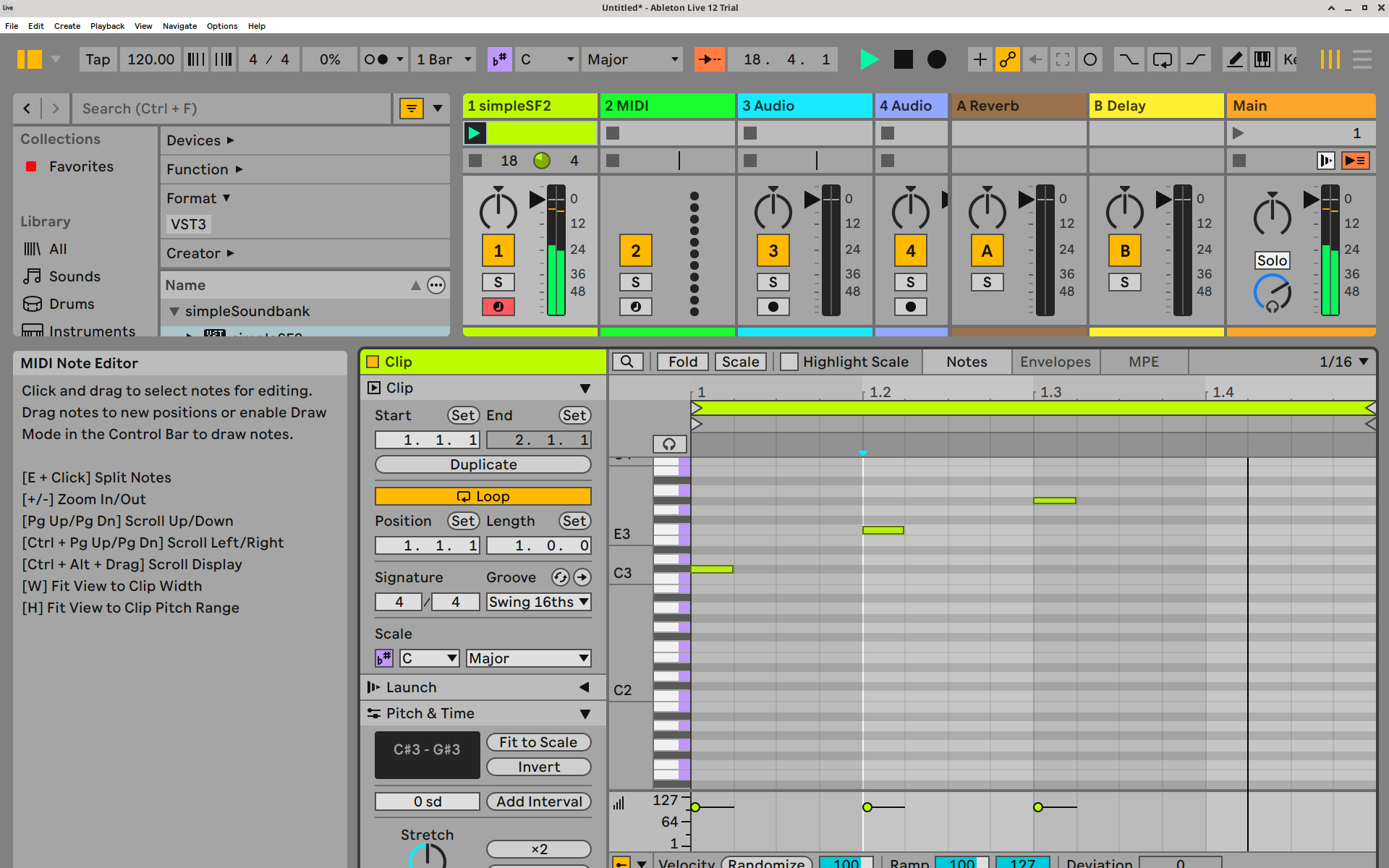
If the meters move but you hear nothing, check Live's audio output device and the track's routing to the main output.
The workaround without a SoundFont plugin
If you only need one sound and want to stay with Live's instruments, you can pull the samples out of the SoundFont and rebuild it by hand.
- Open the SF2 in a free SoundFont editor such as Polyphone and export it to SFZ, which writes the samples out as WAV files.
- Drag the WAV files into Sampler's Zone editor and set each one's key range and root note yourself.
- Expect to redo the envelopes and lose the preset structure. Rebuilding a whole General MIDI bank this way takes much more work than loading it in a SoundFont player.
If the plugin doesn't show up in Live
- Check the toggles on the Plug-Ins tab in Live's settings. Live ignores VST3 and Audio Units until they're turned on.
- Hold Alt (Option on a Mac) and click Rescan for a full rescan that ignores Live's plugin cache.
- Search for simpleSF2 in the Plug-Ins browser and clear any active browser filters.
- For installation paths and scanning advice, see Ableton's Windows VST setup guide.
- Still stuck? Email support@simplesoundbank.com.
Common questions
Can Ableton Live open SF2 files?
Live 11 and 12 cannot import SF2 files into Sampler. Use a SoundFont plugin to play the file directly, or extract its samples and map them manually. Sampler in Live 10 and earlier supported SoundFont import.
Can I use SFZ files in Ableton?
Live doesn't load SFZ files either. simpleSF2 loads SFZ instruments the same way it loads SF2 files.
Is there a free SoundFont player for Ableton Live?
Yes. simpleSF2 is free to download and use with one library per instance. A one-time £9.99 unlock lets you import and switch between multiple libraries.