How to use SF2 SoundFonts in Studio One
Studio One, renamed Fender Studio Pro in January 2026, is one of the few DAWs that can read SF2 files on its own: its Presence XT sampler loads them. That's fine for a single sound. For whole banks, SFZ files or MIDI files with many parts, a SoundFont plugin is easier. Here are both ways.
By Aiden Shihadeh, developer of simpleSF2 · Updated 13 October 2026
Quick answer
| Can Studio One open SF2 files? | Yes. Presence XT can load SoundFonts from the Browser's Files tab. |
|---|---|
| Fender Studio Pro | The same DAW under its 2026 name. Everything here applies to both. |
| Whole banks and SFZ files | Use a SoundFont plugin such as simpleSF2, which keeps every preset in one list. |
| Plugin format | VST3 on Windows. VST3 or Audio Unit on Mac. |
Which way should you use?
- Presence XT is built in. It suits loading one instrument from an SF2 file and playing it.
- A SoundFont plugin shows every bank and preset in the file, plays SFZ instruments, and saves the file with your song. It suits General MIDI banks, game and retro SoundFonts, and trying lots of sounds quickly.
Way 1: Load the SF2 into Presence XT
- Open the Browser (F5), click the Instruments tab and drag Presence XT onto an empty part of the arrangement to create an instrument track.
- Switch the Browser to the Files tab and find the folder that holds your
.sf2file. SoundFonts can live anywhere on your drive. - Drag the SoundFont onto the Presence XT window, or open it in the Browser and double-click a preset to load it.
Things to know before you rely on it:
- One sound per instance. Each Presence XT plays one preset, so switching through a General MIDI bank means loading presets one by one.
- Some files load oddly. Users have reported an empty preset called “EOP” appearing first. It's the end-of-list marker every SF2 file contains; pick a real preset instead.
- SF2 only. Presence XT doesn't read SFZ instruments.
Way 2: Play the SF2 directly with simpleSF2
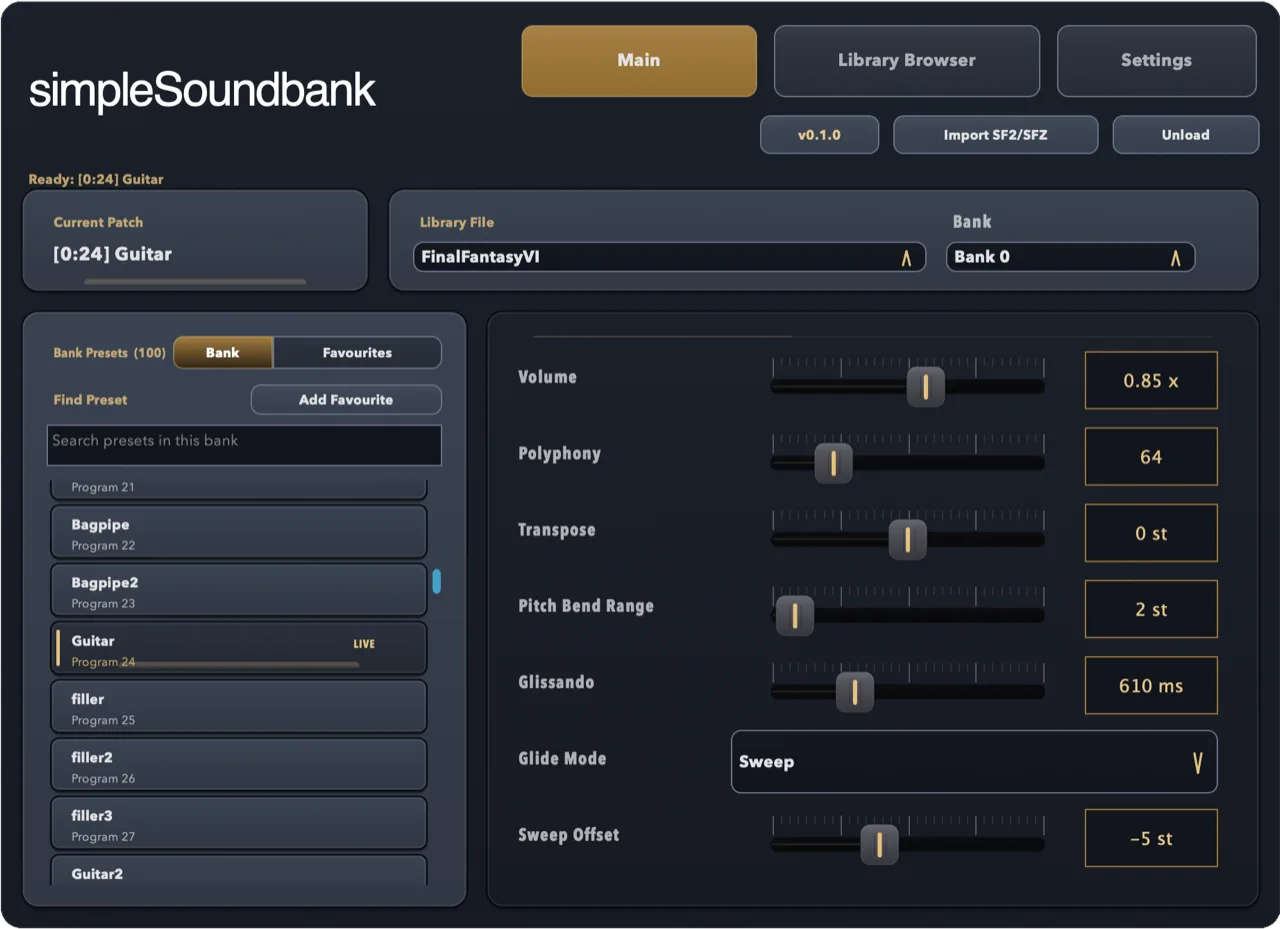
simpleSF2 is a SoundFont player plugin for SF2 and SFZ files. It runs in Studio One as a VST3 instrument on Windows and macOS, and as an Audio Unit on Mac.
- Download simpleSF2 and run the installer for your system, then restart Studio One so it finds the new plugin.
- In the Browser, open the Instruments tab and find simpleSF2 under simpleSoundbank, or type its name in the search box.
- Drag simpleSF2 onto an empty part of the arrangement to create an instrument track.
- Click Import SF2/SFZ in the plugin and pick your file, or drag the file onto the plugin window.
- Pick a bank and a preset, then play. Studio One saves the library, preset and settings with your song.
With the one-time unlock, simpleSF2's Channels tab plays a General MIDI file through one instance: each of the 16 MIDI channels gets its own preset, volume and pan, with drums on channel 10.
If simpleSF2 doesn't show up in Studio One
- Check the plugin folders under Options → Locations → VST
Plug-Ins (Settings on a Mac). The standard VST3 folder is
C:\Program Files\Common Files\VST3on Windows, or/Library/Audio/Plug-Ins/VST3on a Mac. - Click Reset Blocklist there if simpleSF2 was blocked, and restart.
- On a Mac, the Audio Unit lives in
/Library/Audio/Plug-Ins/Components. - Still stuck? Email support@simplesoundbank.com.
Common questions
Can Studio One open SF2 files?
Yes. Its Presence XT sampler loads SoundFonts from the Browser, one preset per instance. A SoundFont plugin such as simpleSF2 plays whole banks and SFZ files.
Is Fender Studio Pro the same as Studio One?
Yes. PreSonus Studio One was renamed Fender Studio Pro in January 2026, and SoundFonts work the same way in both.
Can I use SFZ files in Studio One?
Presence XT doesn't read SFZ, but simpleSF2 loads SFZ instruments the same way it loads SF2 files.
Is there a free SoundFont player for Studio One?
simpleSF2 is free to download and use with one library per instance. A one-time £9.99 unlock adds multiple libraries, 16-channel multitimbral mode, and reverb and chorus.