SoundFont players for Mac
macOS has no app that opens an SF2 file, but there are free ways to play one: two things already on your Mac, four free plugins, and a few apps that need no DAW. This page says what each one runs in, whether it's native on Apple silicon, and the catch with it. simpleSF2 is my own plugin, and I build and test its Mac version on my own Mac. I checked the other developers' pages on 18 November 2026, but I haven't tested their plugins for this guide.
By Aiden Shihadeh, developer of simpleSF2 · Published
Quick answer
| Logic Pro | Logic's Sampler converts SF2 files. To keep a whole bank in one preset list, load a SoundFont Audio Unit. |
|---|---|
| GarageBand | A SoundFont Audio Unit such as simpleSF2. GarageBand can't import SF2 files and doesn't load VST3. |
| Ableton Live, REAPER, FL Studio, Bitwig, Cubase | A SoundFont plugin in the format your DAW loads: AU, VST3 or CLAP. |
| Pro Tools | Bertom SF2 Player or sforzando, the two here with AAX versions. |
| No DAW | The standalone app that comes with juicysfplugin or sforzando, or GarageBand, which is free on any Mac. |
| Just play a MIDI file | My free online MIDI player, or VLC, FluidSynth or MuseScore. |
simpleSF2 plays SF2 and SFZ files on a Mac as an Audio Unit, VST3 or CLAP. Download free
Unlock multiple libraries, layers and splits, 16-channel multitimbral mode, and reverb and chorus for £9.99. One-time purchase.
Unlock 16 channels + reverb — £9.99What's already on your Mac
Logic Pro's Sampler
Logic converts SoundFont 2 files into Sampler instruments. Copy the .sf2
into ~/Music/Audio Music Apps/Sampler Instruments, load Sampler on a
software instrument track and pick the file from Sampler's settings menu.
- Good for: one sound you want to edit with Logic's own tools. The project then opens on any Mac with Logic, with no extra plugin.
- Catch: a bank becomes a folder of separate instruments, one per preset, and Logic plays its converted copy, not the SF2 file.
Steps and screenshots: SoundFonts in Logic Pro.
Apple's DLSMusicDevice
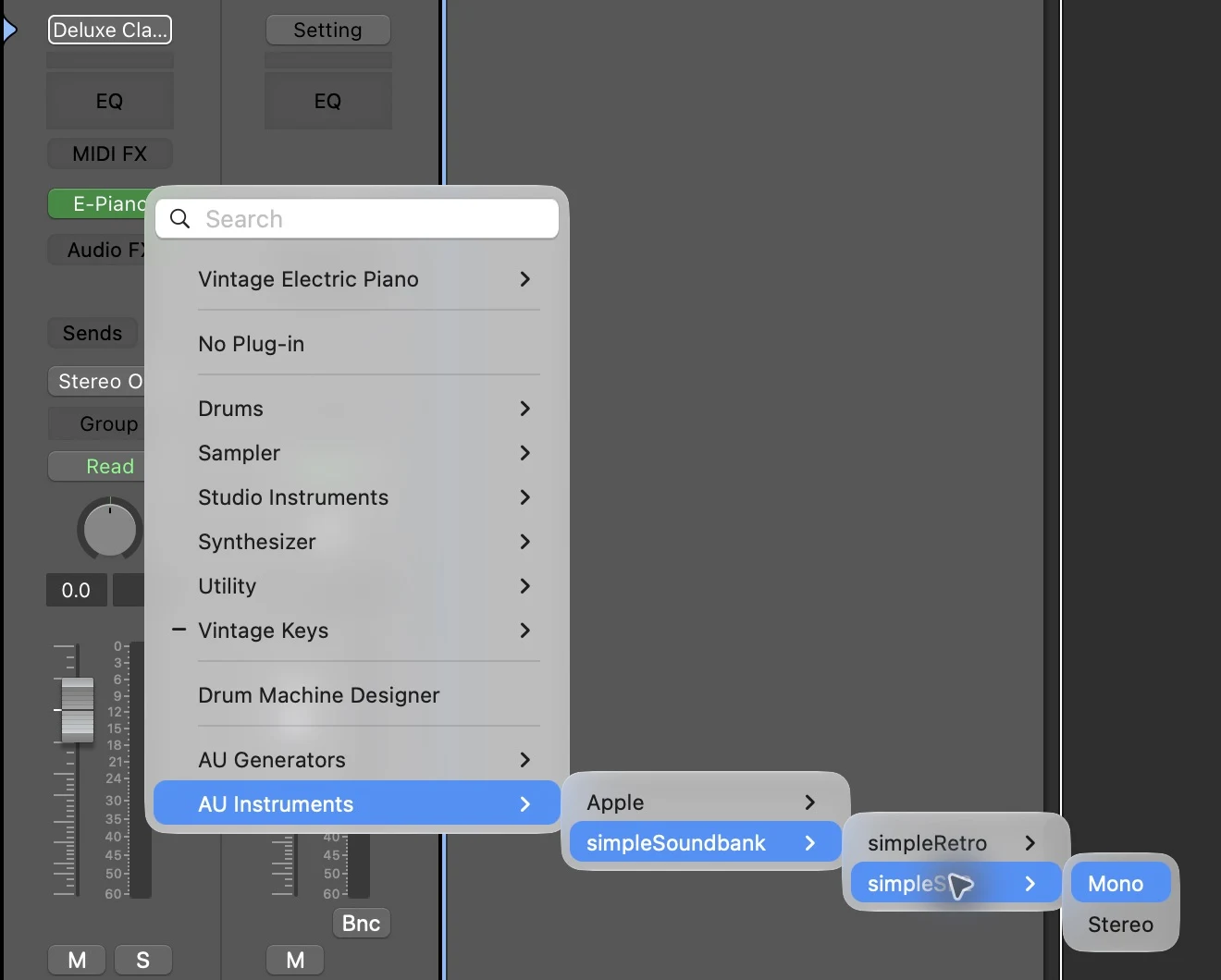
macOS includes a basic General MIDI instrument, DLSMusicDevice, that shows up under
AU Instruments → Apple in GarageBand and Logic. Put an .sf2 in
~/Library/Audio/Sounds/Banks and you can choose it from the plugin's Sound
Bank menu.
- Good for: a quick test with nothing to install.
- Catch: it has no preset list, so you hear the bank's first program, and it has no envelope, filter or tuning controls. It can't read SFZ.
Steps: SoundFonts in GarageBand.
Free SoundFont plugins for Mac
All four are free and have Mac builds that run natively on Apple silicon, so none of them needs Rosetta.
| Plugin | Mac formats | Standalone app | What it does with an SF2 |
|---|---|---|---|
| simpleSF2 | AU, VST3, CLAP | No | Plays the whole bank as it is |
| Bertom SF2 Player | AU, VST3, AAX | None listed | Plays one preset per instance |
| juicysfplugin | AU, AUv3, VST, VST3 | Yes | Plays the bank through FluidSynth |
| sforzando | AU, VST3, AAX, CLAP | Yes | Converts it to SFZ first |
simpleSF2
simpleSF2 is my own plugin. The Mac version is a universal
build for Apple silicon and Intel, runs on macOS 11 or later, and comes as one
.pkg installer that I sign and notarise, so it opens without a security
warning. It installs the Audio Unit, VST3 and CLAP together. It plays SF2 and SFZ files
as they are, with every bank and preset in one searchable list.
- Free: one imported library per instance, with all of its presets.
- £9.99 unlock: multiple libraries, layers and splits, a 16-channel mode for MIDI files, and reverb and chorus.
- Catch: on a Mac it's a plugin only, so you need a host such as GarageBand, and there's no AAX version for Pro Tools.
Bertom SF2 Player
Bertom Audio's SF2 Player is free, or pay what you want. Its KVR page lists Audio Unit, VST3 and AAX versions for macOS 10.13 or later, on Intel and Apple silicon.
- Good for: Pro Tools, and older Macs that can't run macOS 11.
- Catch: it's designed to load a single preset per instance, so it's less suited to browsing a big bank.
Get it from its KVR page.
juicysfplugin
juicysfplugin is an open-source (GPLv3) player built on FluidSynth. Its Mac releases have been universal builds for Apple silicon and Intel since version 3.0, with AU, AUv3, VST and VST3 plugins and a standalone app.
- Good for: playing a SoundFont from a MIDI keyboard without opening a DAW, and anyone who wants open source.
- Catch: the interface is very basic.
Get it from its GitHub releases page.
sforzando
Plogue's sforzando is a free SFZ player. On a Mac it needs macOS 10.13 or later, runs natively on Intel and Apple silicon, and comes as AU, VST3, AAX, CLAP and a standalone app. It doesn't play SF2 files directly. Drop one on the window and it converts the file to SFZ, then plays that.
- Good for: people who mainly use SFZ instruments and only sometimes need an SF2.
- Catch: the conversion step. The converted instrument doesn't always sound the same as the SF2. SF2 vs SFZ explains why.
Get it from Plogue.
Which format does your Mac DAW load?
- GarageBand, Logic Pro and MainStage: Audio Units only.
- Ableton Live: Audio Units and VST3. See SoundFonts in Ableton Live.
- REAPER: Audio Units, VST3 and CLAP. See SoundFonts in REAPER.
- FL Studio: Audio Units, VST3 and CLAP. See SoundFonts in FL Studio.
- Bitwig Studio: VST3 and CLAP, no Audio Units. See SoundFonts in Bitwig Studio.
- Cubase: VST3 only. See SoundFonts in Cubase.
- Pro Tools: AAX only.
If a plugin doesn't appear after you install it, quit and reopen the DAW. In GarageBand,
check that Enable Audio Units is ticked under GarageBand →
Settings → Audio/MIDI. In Logic, look in Logic Pro → Settings → Plug-in
Manager. Audio Units installed for every user of the Mac live in
/Library/Audio/Plug-Ins/Components.
Without a DAW
GarageBand is free on any Mac, so GarageBand with a free Audio Unit is a full setup that costs nothing. If you'd rather not open a DAW at all:
- Play from a MIDI keyboard: the standalone apps that come with juicysfplugin and sforzando.
- Play a MIDI file in the browser: my free online MIDI player takes your own
.sf2, and the MIDI to WAV converter saves the result as audio. Your files stay on your Mac. - VLC: plays MIDI files once you set a SoundFont under VLC → Settings → Show All → Input / Codecs → Audio codecs → FluidSynth.
- FluidSynth: the command-line synth, from Homebrew with
brew install fluid-synth. - MuseScore Studio: plays and exports scores with any SF2.
Play a MIDI file with a SoundFont has the steps for each of these.
Common questions
Is there a free SoundFont player for Mac?
Yes. simpleSF2, Bertom SF2 Player, juicysfplugin and sforzando are all free and all have Mac versions. Logic Pro can also convert SF2 files in its own Sampler.
Do SoundFont players run on Apple silicon Macs?
Yes. All four plugins on this page have native Apple silicon builds. simpleSF2 and juicysfplugin are universal builds, so the same download also runs on Intel Macs.
Can I play a SoundFont on a Mac without Logic Pro?
Yes. GarageBand is free and loads Audio Unit SoundFont players. juicysfplugin and sforzando also come with standalone apps that need no DAW.
Why doesn't double-clicking an SF2 file do anything?
macOS has no app registered for .sf2 files. An SF2 holds instrument
sounds and no notes, so you open it from inside a player and then play it. How to open an SF2 file has more.